
Product Updates • May 22, 2026
We Built a Claude Connector - Now You Can Create Tests Just by Talking
No recording. No clicking. Just describe what you want to test in plain English, and Claude creates a structured, ready-to-run test in your E2Easy dashboard.
If you've ever thought "I know what I want to test, I just don't want to click through it again" - this one's for you.
We just launched the E2Easy Connector for Claude, and it changes how you create tests entirely. Instead of opening your app, hitting record, and clicking through every step manually, you just tell Claude what to test. In plain English. Like you'd explain it to a colleague.
Claude takes care of the rest.
What is the Claude Connector?
Claude is an AI assistant made by Anthropic. With our new Connector, Claude gets direct access to your E2Easy account. That means you can have a conversation with Claude, describe a test scenario, and it will automatically create a structured, ready-to-run test recording - saved straight to your E2Easy dashboard.
No code. No recording sessions. No clicking through your app manually.
What can the E2Easy Connector do?
Once connected, Claude can:
- Create new tests from a plain English description
- List your existing tests so you can find and manage them
- View test steps to inspect what a test does
- Run a test and report back the result
- Update or delete tests when things change
All of your tests live in your E2Easy dashboard as always - the Connector is just a faster way to create and manage them.
How does the E2Easy Connector work?
When you ask Claude to create a test, it doesn't guess. It actually visits the page you want to test using a real browser running in the background, finds the buttons, fields, and links that actually exist on that page, and builds the test using those real elements.
That means the tests it creates are accurate and reliable - not made up from memory.
How to connect E2Easy to Claude
The Connector is currently available as a custom connector while we wait for approval from Anthropic's official directory. Setting it up takes about 60 seconds:
- Open Claude.ai and click Customize in the top left corner
- Go to Connectors
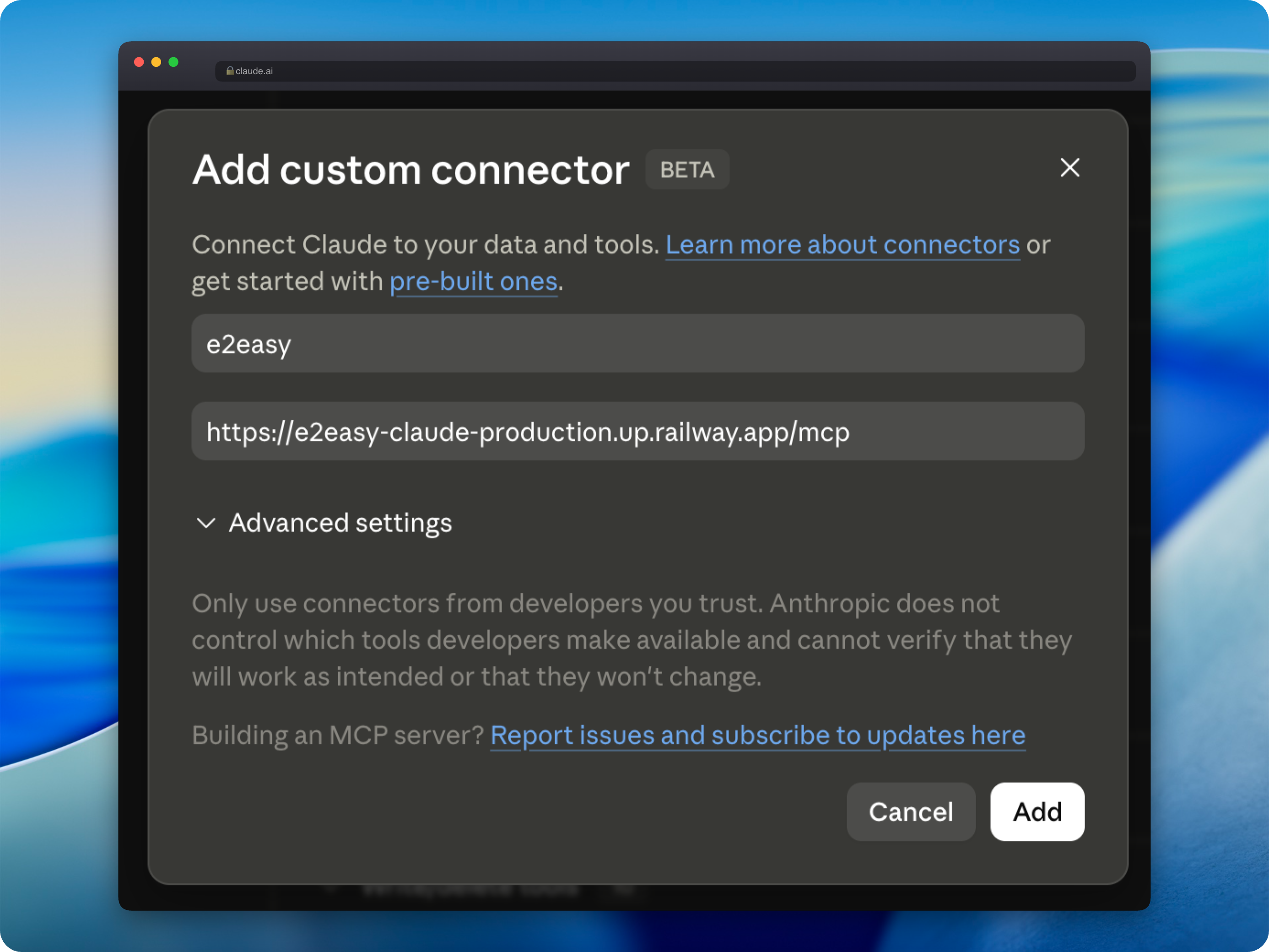
- Click Add connector, then Add custom connector
- Paste the Name and URL into the connector form:
e2easyhttps://mcp.e2easy.app/mcp- Click Add, then click Connect
- Sign in with your E2Easy account
That's it. Claude can now create and manage your E2Easy tests.
For more detail, see the Claude Connector documentation. Using Cursor, Codex, ChatGPT, or another MCP client? The E2Easy MCP guide covers setup for each of them, plus a library of ready-to-use prompts.
Example prompts to try
Here are a few prompts to get you started once connected:
Testing a login flow:
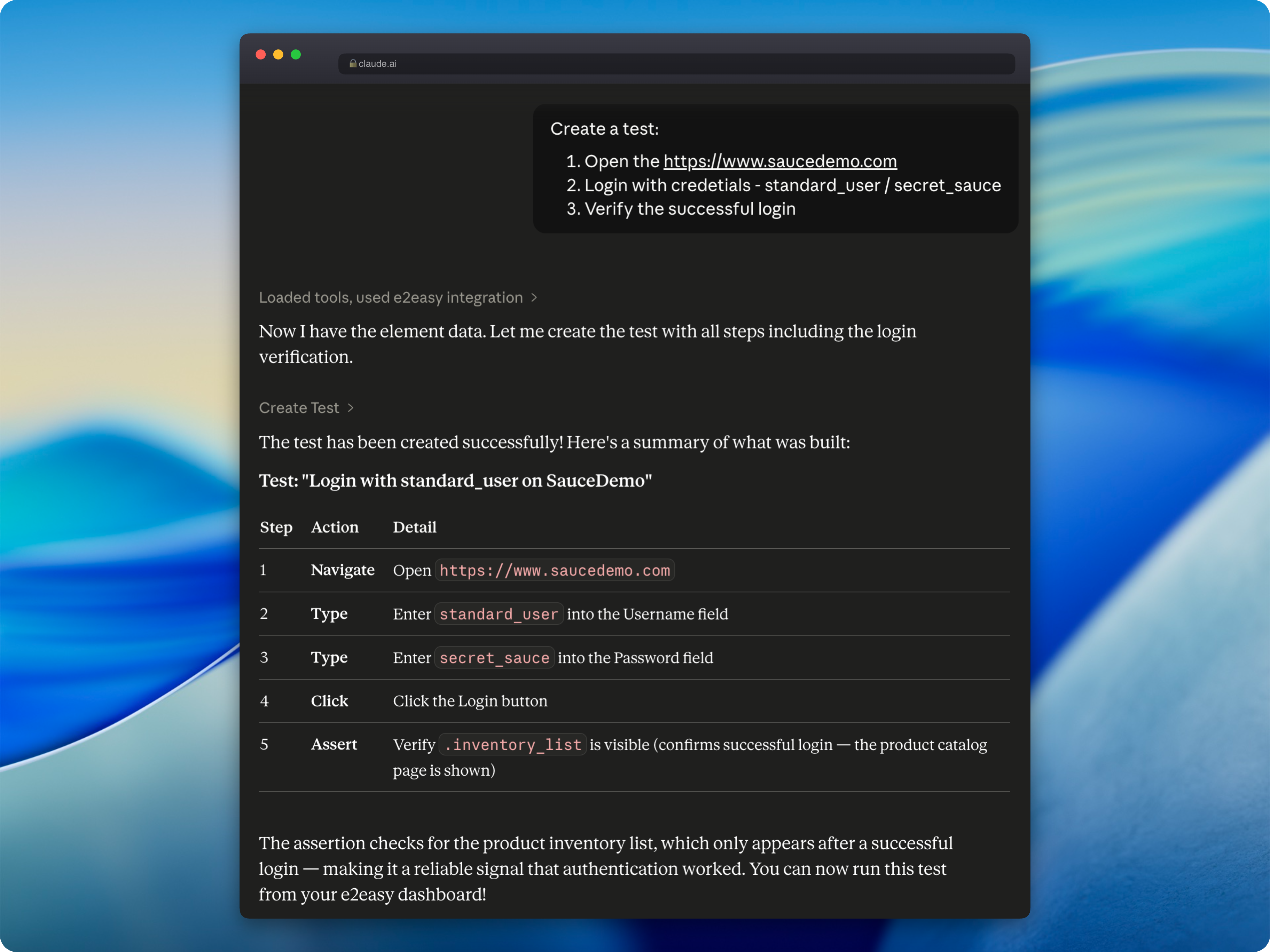
Create a test: open https://myapp.com/login, type my email into the email field, type my password into the password field, click Sign In, and verify the dashboard is visible.
Testing a contact form:
Open https://myapp.com/contact, fill in the Name field with 'Test User' and the Message field with 'Hello', click Submit, and confirm the success message appears.
Checking what tests you already have:
List my tests.
Running an existing test:
Run the login flow test.
Claude will confirm the steps with you before creating anything, so you always stay in control.
Where do the tests go?
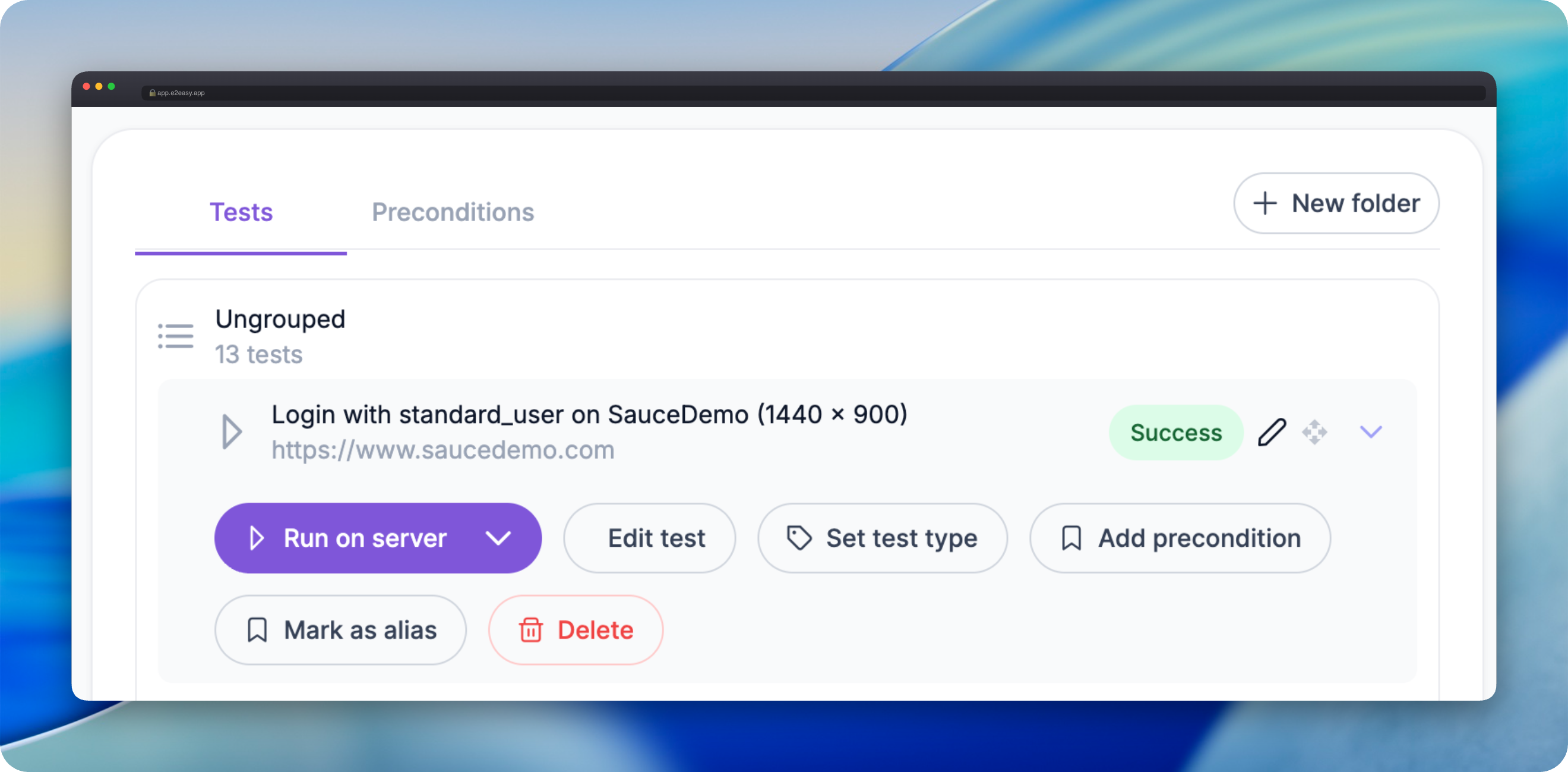
Every test created through Claude is saved to your E2Easy dashboard exactly like a manually recorded test. You can view the steps, edit them, organize them into folders, and run them at any time - either manually or automatically.
Nothing gets lost. Everything stays in one place.
Why we built this
Most testing tools are built for developers. We built E2Easy for everyone else - founders, product managers, customer success teams, anyone who knows their product but doesn't want to write automation scripts.
The Claude Connector takes that a step further. You don't need to learn a new interface, remember where buttons are, or spend time clicking through flows you've already done a hundred times. You just describe what should happen, and the test gets created.
We think this is what testing should have always felt like.
Get started
Connect E2Easy to Claude today using the steps above and try creating your first test with a single sentence.
Your tests will be waiting for you in your E2Easy dashboard at app.e2easy.app.
Author: E2Easy Team | Date: May 22, 2026