Product Updates • June 1, 2026
The E2Easy Chrome Extension: Record Real Sessions and Turn Them Into Tests
E2Easy started with a Chrome extension that records how you use your product and replays it on demand - no code, no scripts, no automation engineer.
The E2Easy Chrome extension is the original way to automate testing at E2Easy: install it from the Chrome Web Store, sign in, use your app the way a real user would, and save that session as a repeatable test. Founders, product managers, customer success, and QA teams use it to capture flows they already know - checkout, onboarding, billing - without writing a line of code.
Installation
You need Google Chrome or another Chromium browser that supports Chrome extensions.
- Install the E2Easy browser extension from the Chrome Web Store.
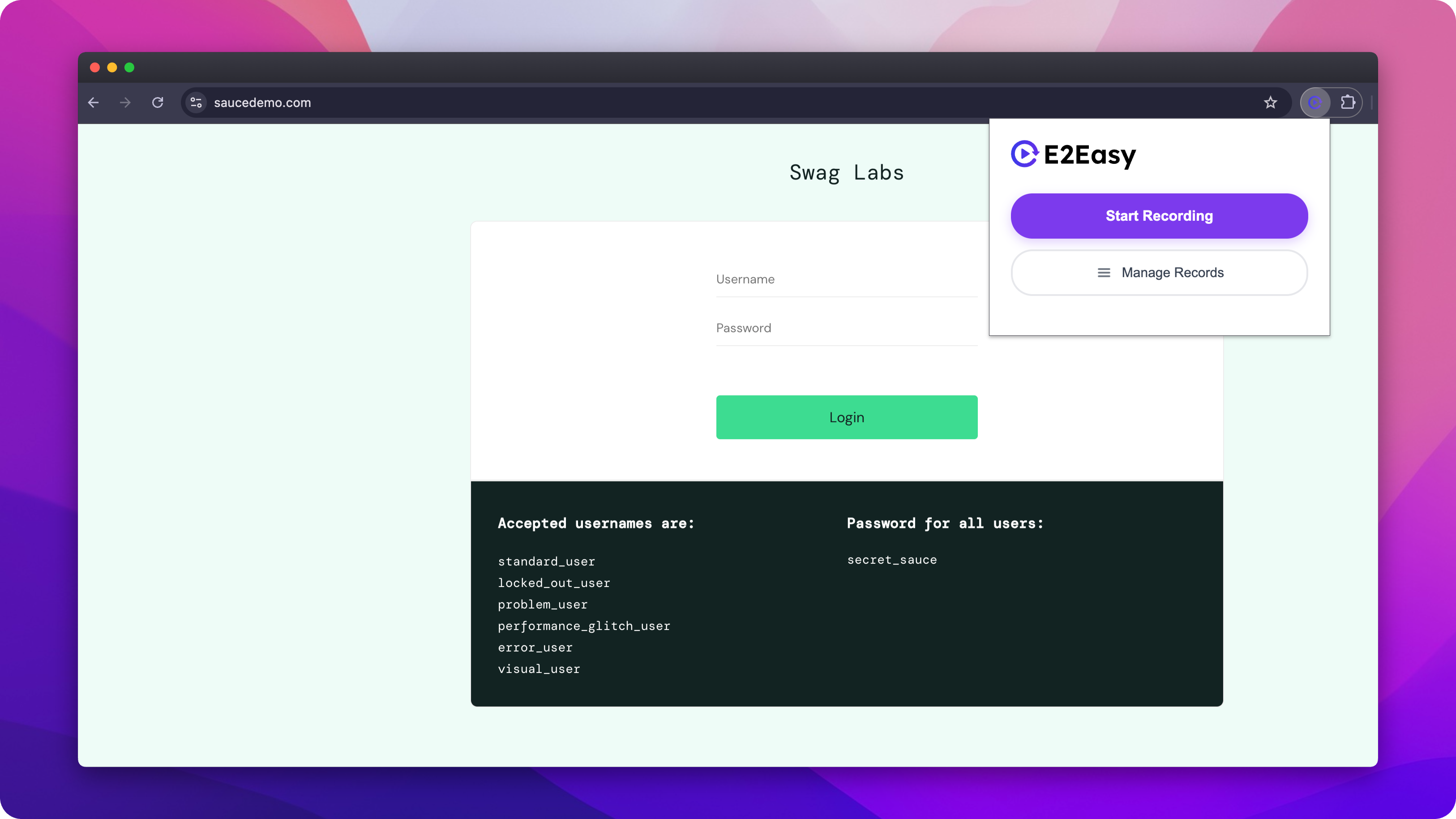
- Pin the extension - Click the puzzle icon in the toolbar, find E2Easy, and pin it so the popup opens in one click.
- Sign in - Open the E2Easy popup and sign in with your account.
- Incognito (optional) - If you record in Incognito windows, open
chrome://extensions, select E2Easy, and enable Allow in Incognito.
From the popup you can Start Recording or Manage Records to open your test library in the E2Easy app. The extension needs access to the pages you test so it can record and replay your actions.
How it works
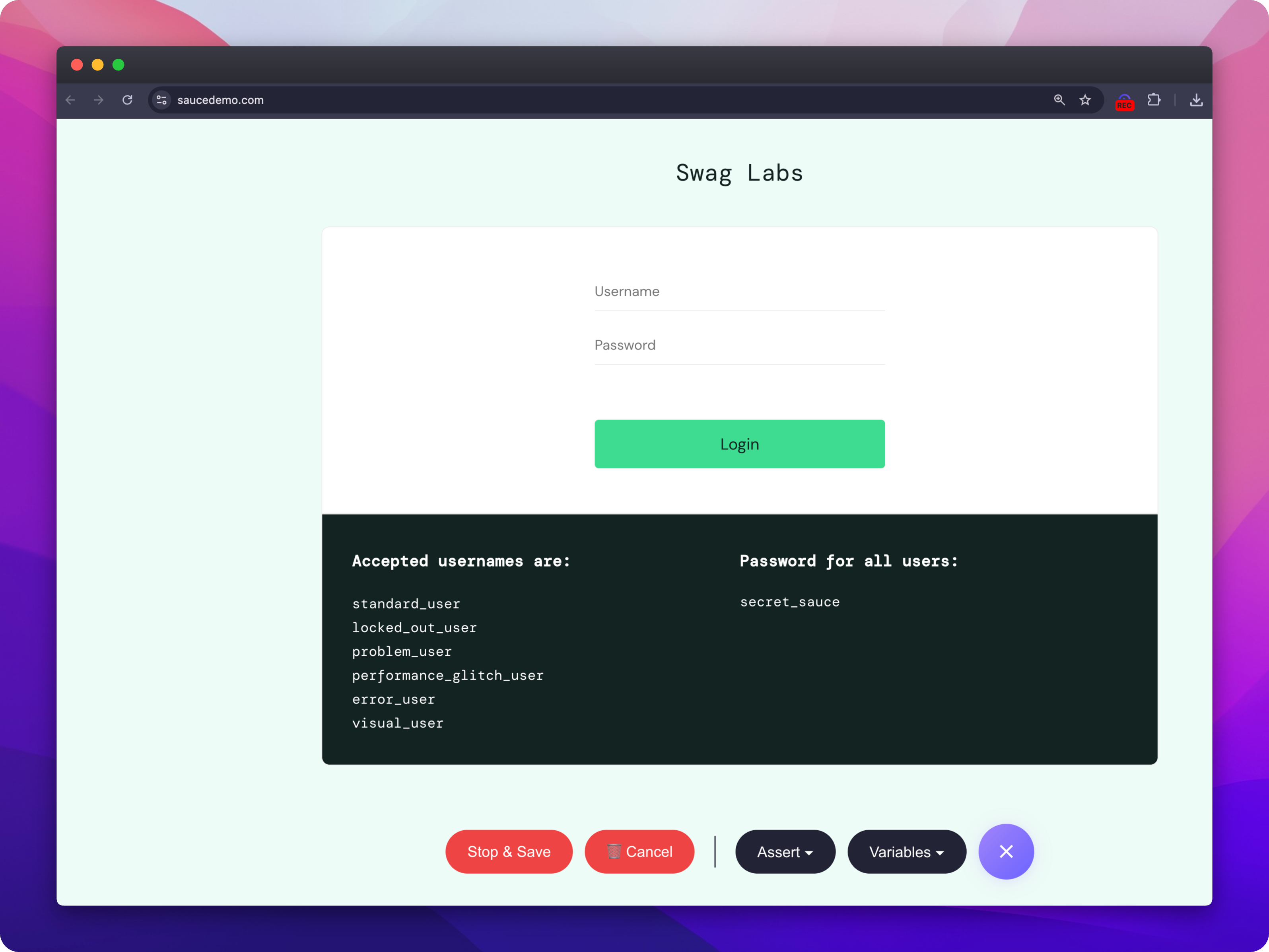
The extension lives in your Chrome toolbar and connects to your E2Easy workspace. When you start a recording, E2Easy opens a dedicated browser window for the URL in your current tab and captures what you do: clicks, typing, navigation, and scrolling. When you stop and save, those actions become a structured test in your workspace.
Recording takes four steps:
- Sign in - Click the E2Easy icon and sign in with your account.
- Start recording - Open the page you want to test in your current tab first. Then, from the extension popup or the E2Easy app, click Start Recording. E2Easy opens a focused recording window for that URL.
- Use the product normally - A floating toolbar gives you Stop & Save, Cancel, Assert, and Variables while you work. Use Cancel to discard a recording without saving.
- Stop and save - Name your test. It appears in your E2Easy workspace, ready to run and edit.
That is a real user session, not a script written from memory. The extension keeps capturing across page reloads and single-page app navigation.
Run and manage tests
Playback runs through your E2Easy workspace, not from a separate script. Click Manage Records in the extension popup (or open the app) to find your test, run it in the browser, edit steps in the visual editor, organize folders, and review run history - including the failing step, screenshots, and video when a run does not pass.
More than clicks
Recorded tests can do more than replay your actions.
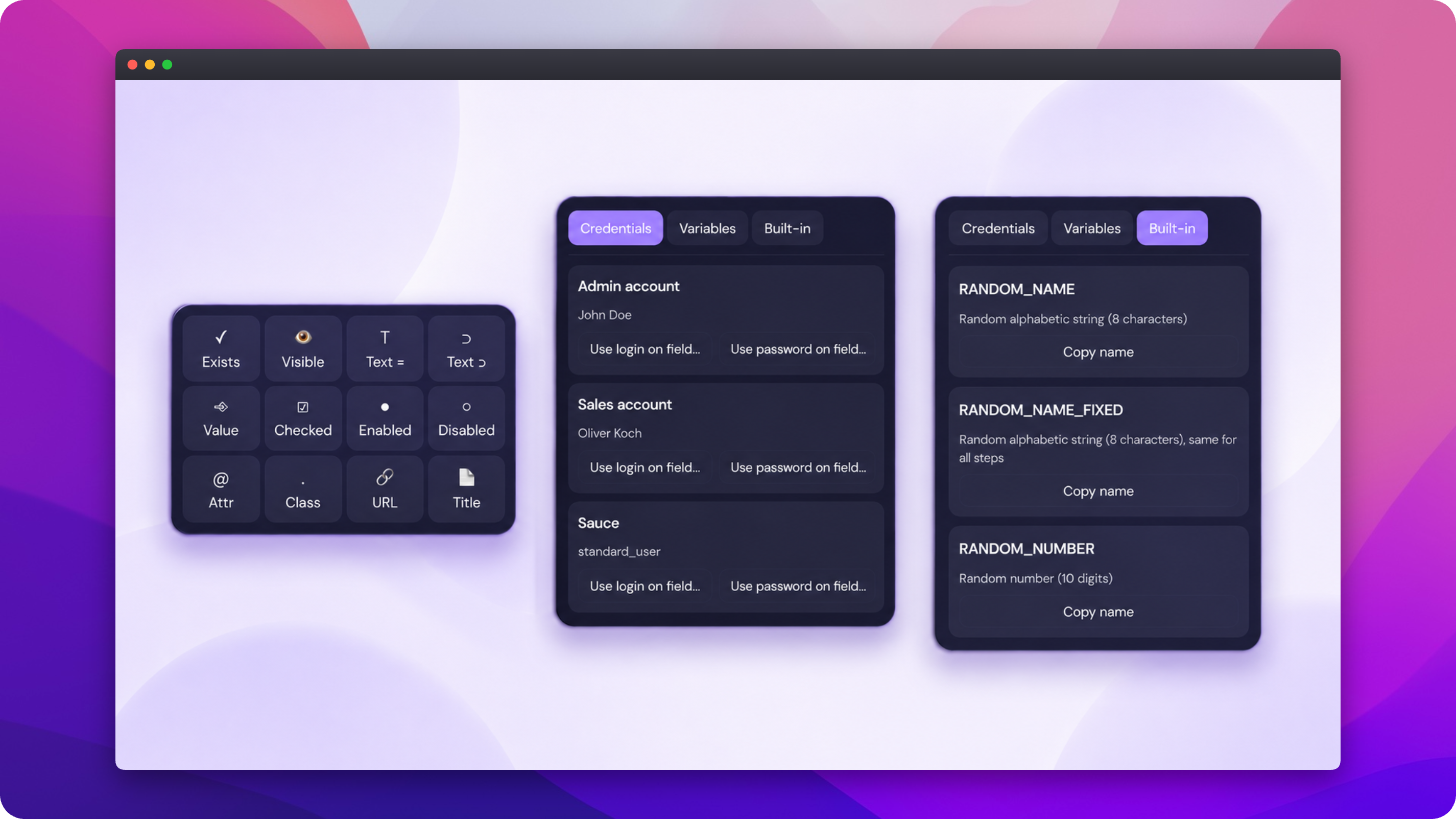
Assertions verify the outcome, not just that a button was clicked. During recording, open Assert on the toolbar, choose a check type, and pick the element on the page when prompted. Options include visibility, text equals or contains, input value, checked and enabled state, attributes, classes, URL contains, and page title. After a form submit, assert that a confirmation message appears - if a deploy breaks it, the test fails before your customers notice.
Credentials keep sign-in flows out of your step text. Open Variables on the toolbar and switch to the Credentials tab. Choose a saved credential, then Use login on field or Use password on field and click the input on the page. Secrets stay in your E2Easy vault and are never hardcoded into the test.
Built-in helpers provide ready-made test data such as random names and numbers. Open Variables, go to the Built-in tab, copy a variable name, and use it in your flow when you need generated data.
How it compares
Most teams choose between manual clicking, coded E2E frameworks, or a recorder like E2Easy. Here is how they stack up:
| Criteria | Manual testing | Coded E2E (Cypress / Playwright) | E2Easy Chrome extension |
|---|---|---|---|
| Who can create tests | Anyone | Developers or automation engineers | Anyone - founders, PM, QA, CS |
| Time to first useful test | None, but no reuse | Days to weeks | Minutes after install |
| Repeatability | Low - same effort every release | High | High |
| Maintenance when UI changes | Repeats manually each sprint | High - code fixes for broken selectors | Low - edit steps visually |
| Secrets and shared setup | Retyped each run | Fixtures and beforeEach hooks | Credentials and Preconditions |
| Failure debugging | You saw it when it happened | Stack traces and logs | Failing step, screenshots, video |
| Best for | Exploratory checks | Engineering-led CI pipelines | Regression and release confidence without code |
Manual testing does not scale. Coded E2E pays off when you have engineering time to invest. The extension sits in the middle: automated and repeatable, without pulling developers off product work.
Get started
The flows your team already knows by heart are worth automating. Install the extension, record once, and replay before every release - without pulling engineers off product work.
Author: E2Easy Team | Date: June 1, 2026